
Thinking about organizing my RSS stuff
I should improve my RSS organization, and I’m wondering where to start - it’s quite a mess.
An interesting piece from Mike Elgan:
Why Mexican cartels are fighting in Ukraine
https://machinesociety.ai/p/why-mexican-cartels-are-fighting


When I went to the bookstore and picked up Dawn by Octavia E. Butler 📚, I didn’t know who she was, or, more likely, I forgot. I was looking for something a bit sci-fi after my previous semi-scientific Owl book. Dawn, which I saw was about a dystopian future involving aliens from the book cover, seemed intriguing.
Well… I was wrong. Every episode seems to be like a dialogue between the main character and one of her alien abdoctors, and they are all pretty much the same. I get that there’s a point to be made here, perhaps, but it got old fast. I’m learning to appreciate books that invite me to read them and dread those that I put away in favor of my RSS feeds.
I’m knee deep in my RSS feeds and found out about the Emacs Carnival for 2025.
What I love about this is that the topic is writing experience, so the focus is not about elisp snippets and coding shenanigans. Instead, people tell their stories about how their writing got them into Emacs and why. Looks like I have some reading to do.
Denote with a different root directory on Linux only
A workaround to create a private note-taking folder for Denote on a Linux desktop only, while avoiding syncing with my Mac.
Currently reading: Dawn by Octavia E. Butler 📚
I’m giving this book another week or so before I give up.
Just posted my review of Cyber Knights: Flashpoint.
Linux geeks who love management games, RPGs, and tactical X-Com like games, you’ve got to give it a try!
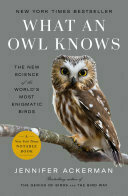
Finished reading: What an Owl Knows by Jennifer Ackerman 📚
This was a slow read. I’m not always in the mood to “read” the Discovery Channel. Ackerman is a generous writer. She obvioulsy loves owls, as do I, and her book takes us all around the world learning about them - as well the people who work with them.
Today, I met the goal I set for myself when I returned from vacation: running all the way up the street. My street has a pretty steep slope, but it’s short. It made for a good goal. Achievement unlocked 💪
Compromising with Outlook pains
I knew that I must use Outlook for work, but now I have a better understanding why. After some research, I tuned Outlook to be somewhat less annoying. Hopefully.