Currently reading: Shutter Island by Dennis Lehane 📚
I picked this up last night after I couldn’t satisfy my “I want to read something” itch. The Library had a book named Shutter or similar, and that made me think I wanted to read Shutter Island before, and this is the right season.
Some folks here and on Fosstodon reached out to ask how my family and I are holding up in light of everything happening in Israel. Thanks for checking in, much appreciated 👍
Rendezvous with Rama

Finished reading: Rendezvous with Rama by Arthur C 📚
Ah, so this is hard sci-fi, a “category of science fiction characterized by concern for scientific accuracy and logic.” I watched The Martian without reading the book (but I did read Project Hail Mary), and I know this is another popular one I’ll add to my list.
Rama (for short) can be read as a textbook in a science class, and I wouldn’t be surprised if it’s used this way somewhere: how will a spaceship that sustains humans look like, and what makes it work? If you find yourself intrigued, this is the book for you.
It goes beyond that, giving us an interesting view of politics and society on a solar system scale, which I enjoyed (if you like that kind of sci-fi, I recommend “The Moon Is a Harsh Mistress”). A nice surprise is the existence of polyamory, or more specifically polygamy, which is the practice of marrying more than one partner (this also exists in The Moon Is a Harsh Mistress, making me curious to see what other sci-fi books have this). There are also a few common threads with The Expanse, including some themes I see in certain video games (which, I’ll have you know, can deliver a story better than movies and books).
This is my third library sci-fi book (which means it comes with a deadline, which I made in time) and, so far, my favorite. I’m taking a bit of a break from books at the moment, though I have a feeling it will be a short one.
New Desktop Apps I'm Enjoying Recently
At this point, three app-related updates in the last couple of weeks that I think are here to stay:
- Arc Browser
- Lillihub (for Micro.blog)
- Kagi Search
Arc Browser
Available only for macOS at this point, this one is the most complicated, and I’m still getting used to it. Complicated is not fair of a work, let’s say, different. There’s much to say about Arc Browser and how it does things. Many of its features exist in other browsers or in well-known extensions; others are freshly new. Some of the big highlights for me are:
- Vertical tabs: This just makes sense on your screen once you get used to it
- Bookmarks/tabs/pinned tabs are essentially the same, the function change on the location in your sidebar. The presentations of those in your workspace is different, helpful, and hard to describe.
- Boosts: for those familiar with Grease Monkey, this is similar. It allows you to inject CSS and even JavaScript into your bookmarks, so the next time you visit them, they are customized to how you want to use them. Very powerful and very useful.
- Workspaces & Profiles: when you switch a profile (say personal vs. work), it is like opening a whole new browser in the same one. Different looks, different extensions, different search engine, different profile signed - all available with one “swoosh” of your finger or a keyboard shortcut.
There’s much more to this browser, and I barely scratched the surface. Download it and test it, but do it for a couple of days. It takes some time to get used to.
Lillihub
This is a beta client for Micro.blog, developed by Loura. It’s already my default Micro.blog client. Some of its immediately useful features include:
- When replying, checkboxes for people in a conversation in Micro.blog. Finally you can choose who to reply to in a thread!
- Drag and drop for picture posts
- Renovated Discover section, with a helpful left bar of all the emojis (categories here on Micro.blog), and buttons to Announcements, Challenges, and News.
- Pinned posts (cached locally) so you can always find that one post you want to get back to
- Helpful conversation tab, so you can focus on active posts with replies to participate in a discussion.
There’s more, and Loura might still be accepting testers. It’s still rough-looking visually, which is what you’d expect from a beta product, but everything works and works well.
Kagi Search
I just started using this Search Engine two days ago, and I’m quickly learning to like it. It just displays information better (better than Duck Duck Go, in my opinion). It draws information from Wikipedia, Reddit, YouTube, and more places you’re likely to click on without logging in. It has filters to a level I’ve seen only in Google so far (for example, the image filter allows you to filter by license, image type, HD/SD, Aspect ratio, etc.)
There are no ads. No sponsored links. That’s because you’re expected to pay for it ($10 a month if you hit the 300 searches limit). At first I thought, “What am I nuts? Pay for search?” But the more I thought about it, the more I realized how often I use search and how it makes sense to pay for a quality service like this if I don’t want ads or Google up my…
I think this one’s quickly becoming a safe bet, unless I find out they somehow do use users’ data to sell to data brokers. That wouldn’t surprise me, since the opportunity is just so rewarding and so easy.but I guess we’ll see.
What about you? Thoughts? Suggestions?
Took a walk in the woods for some peace and quiet. I came across a circle made of branches.

Inside, another ring and a cross made of rocks with white and orange flowers.
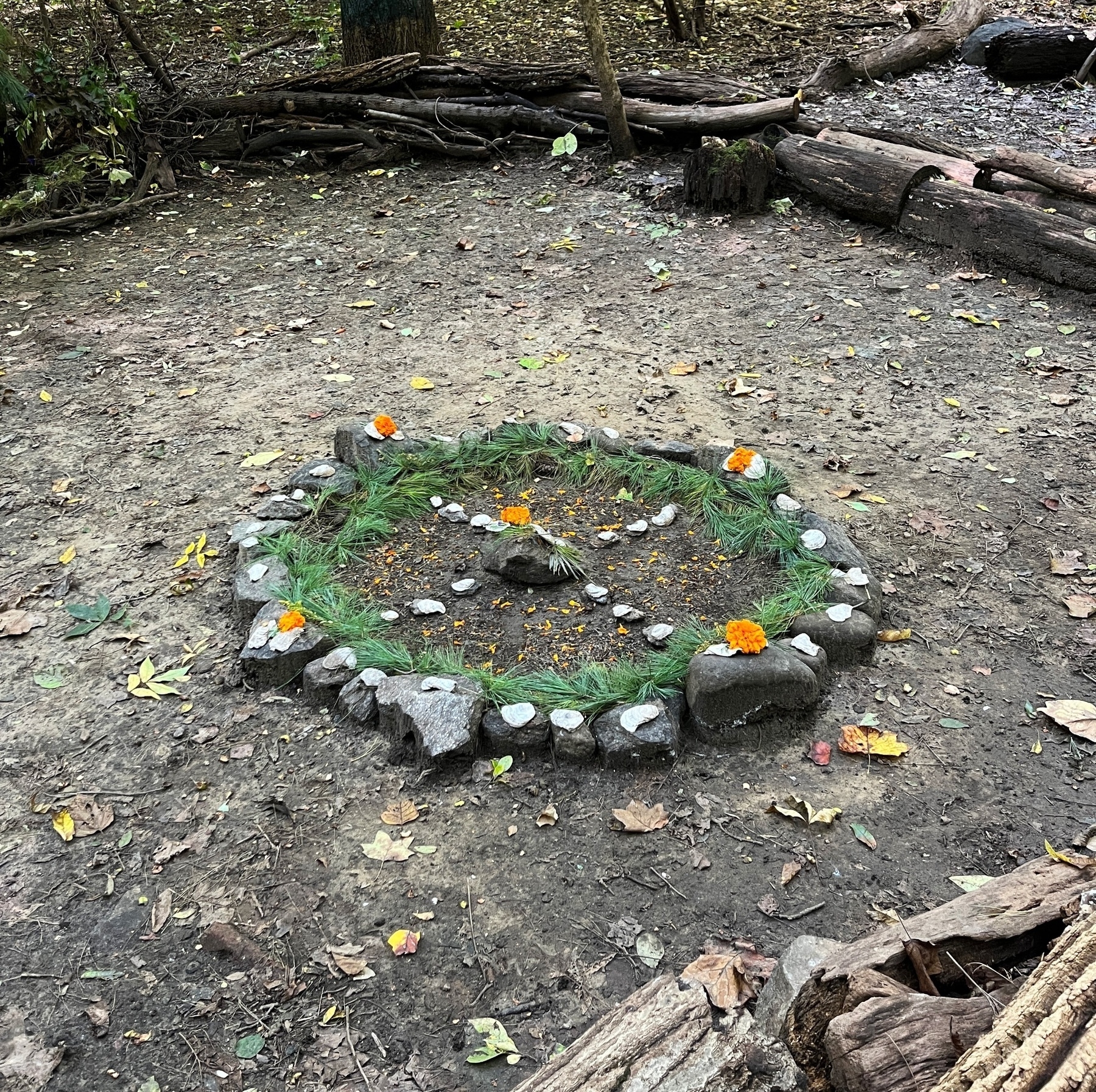
I don’t know who or why, but there it was.
I was playing around with the new macOS Sonoma aerial screensavers.
I noticed there doesn’t seem to be an official way to remove downloaded screensavers (about 500MB MOV files each, give or take). The only way is to go to the system folder where they’re stored and delete them manually.
I guess it’s time to dust off the wiki and wire these things down 📖
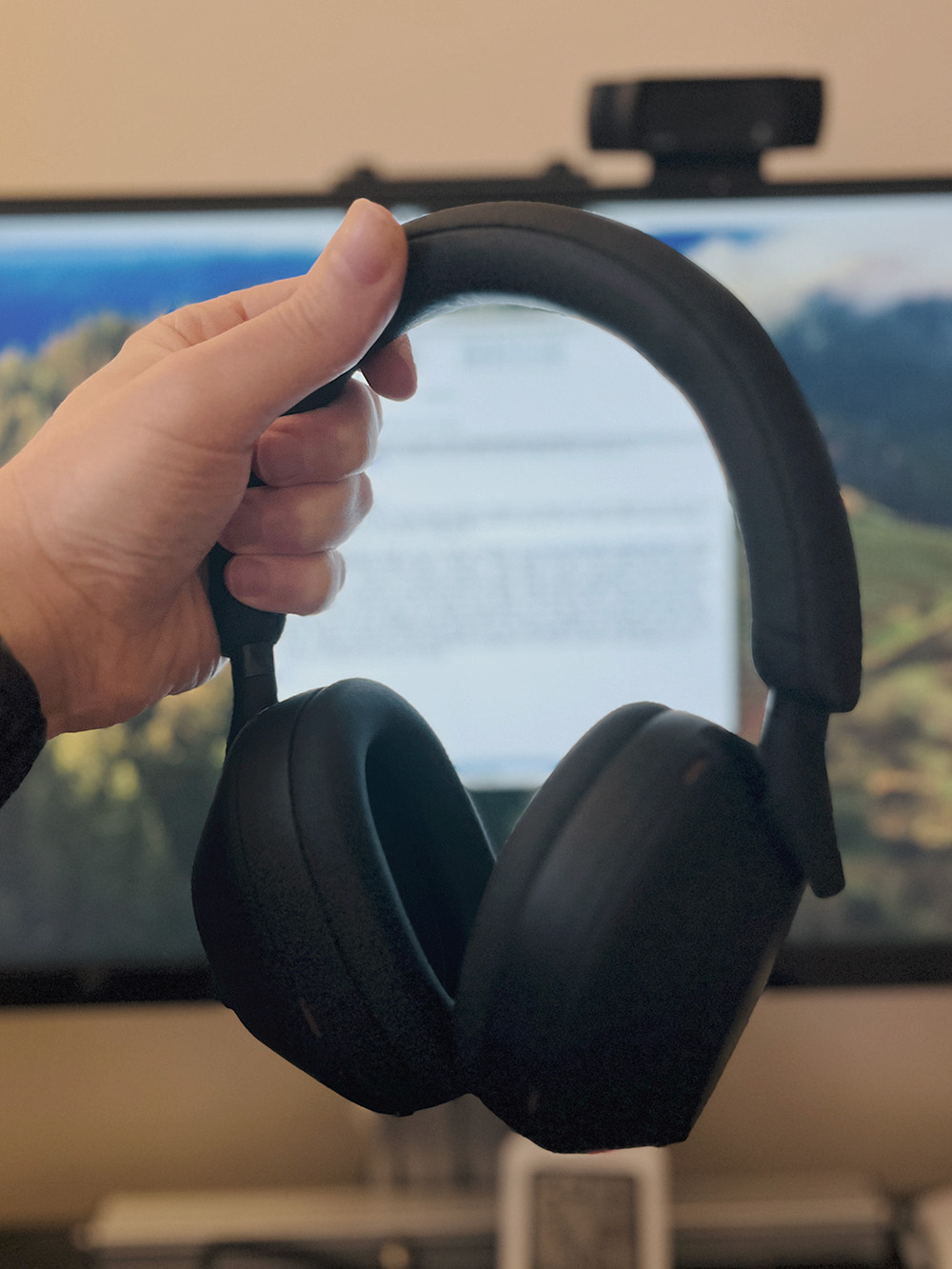
The World-Cancelling Sony WH-1000XM5
Last week, I got the Sony WH-1000XM5 Wireless Noise-Canceling Headset 🎧. Nat works at a headset store, so deciding where to go was easy. I got to try on various headsets with two kinds of music I listen to often: Electronic and Classical. The Sony’s won by a large margin.
I still can’t get over the noise cancellation, which I now call “world canceling.” How good are they? Well, after a night out last weekend, I took the subway from New York Penn Station, a very busy transportation hub, back home. The “world cancellation” was so good that I couldn’t hear trains most of the time, only when they slowed down near the station. People moved their lips, but no voice came out. A homeless person gave me a jump scare by waving his hand in front of my face (I was looking at the tracks and didn’t see him). This was a bit unsettling, so I turned around to be more alert, using my eyes.
The headset is phenomenal. It cancels out firetrucks, yelling kids on a break from the nearby elementary school, and Obnoxious construction noises. It comes with an app that seamlessly allows switching from my iPhone to the Mac, depending on which device I’m using. I sure don’t miss having a messy long wire one bit. I’ve been spoiled, and I’m not going back 🎶.
Before I got my new MacBook, one of my worries was having it plugged to power 24/7. I do most of my work on it from home, and it’s plugged into a KVM switch to my external Monitor, Keyboard, and Mouse, along with my Windows PC.
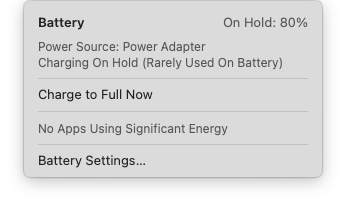
Today, I noticed the above window for the first time (it shows up after you click the battery and charger icon in the top menu), and it was odd to see my battery is only at 80%. Alarmed, I checked Apple’s documentation about this. It turns out not only there’s no issue with leaving the battery connected to power 24/7 (per research I did previously), but macOS expects it from my habits and allows the battery to discharge to a certain level to keep it healthy.
Two in one, or as a previous manager used to say: “two for five!” finishing the photoblog challenge, a bit behind.
September photo 📷 challenge day 29 Constrast

Above: Taken in manhattan, caught some smoke as well in the picture.
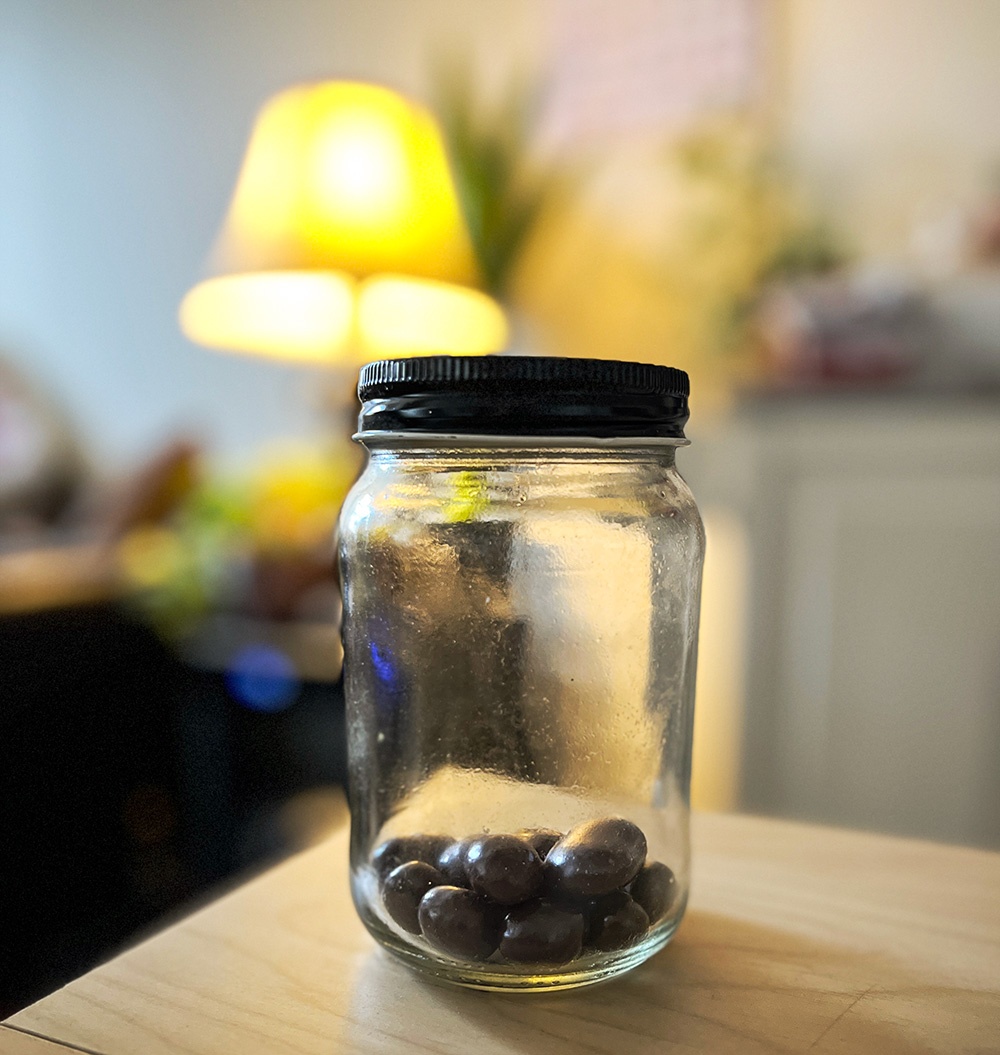
Below: our “treasure:” chocolate covered orange peels, espresso beans, cherries, and almonds. Life Forst Gump, we never know what we’re going to get when we have one 🍫
September photo 📷 challenge day 30 Treasure
September photo 📷 challenge day 28 Workout
Since COVID, I’ve started to exercise in my room. I’ve been exercising way more often this way than I ever did at the gym.