
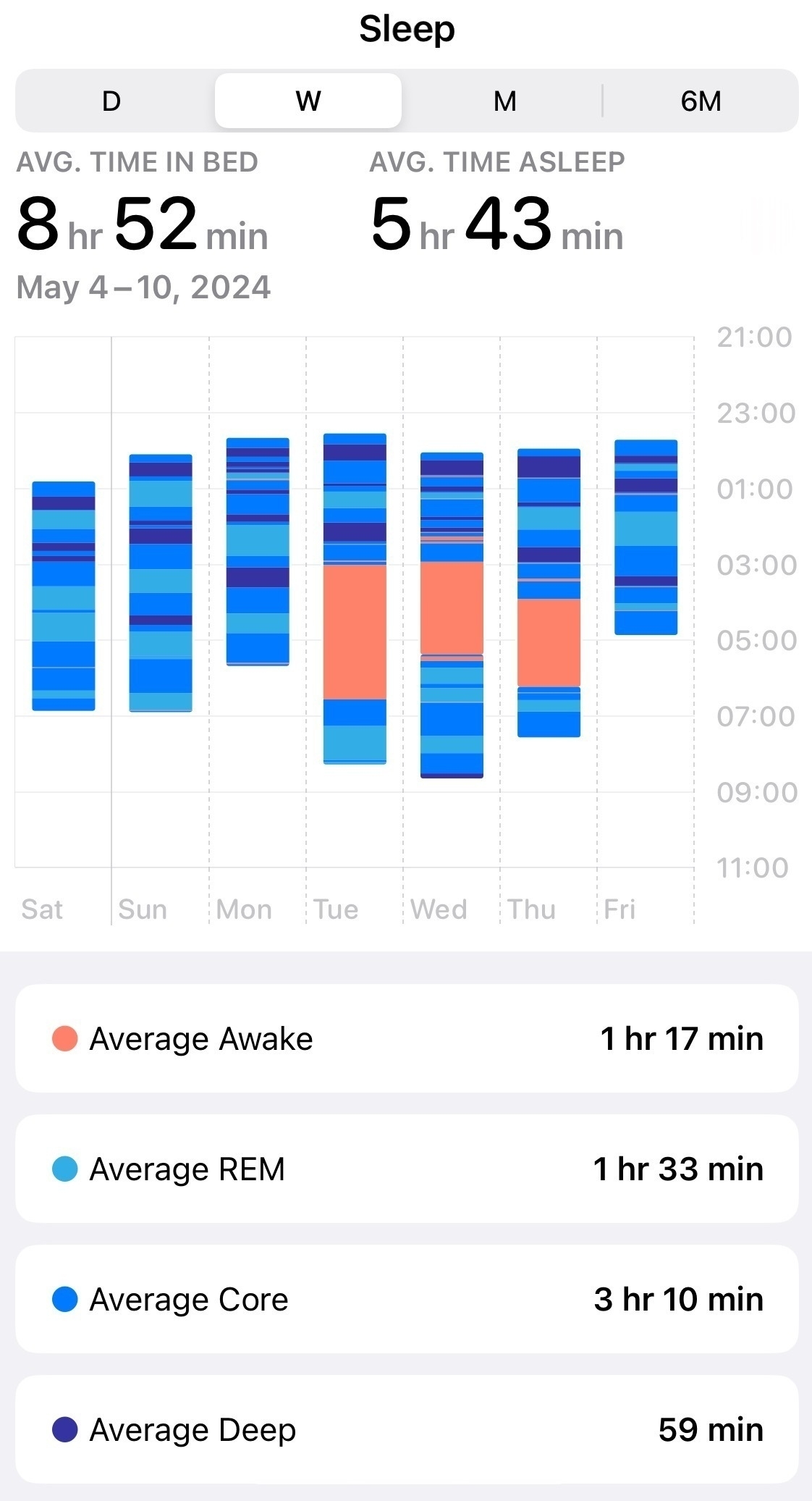
My sleeping issues returned in full force this week. With my Apple Watch, it looks pretty depressing.
As you can see in the graph, I’ve been waking up at night since Tuesday, then trying to squeeze in some more sleep before work in the mornings. Even then, it’s rare that I get 6 hours of sleep. Unlike what it shows, I don’t spend the orange areas (awake times) in bed. I use this time to work on low-key projects or play relaxing games.
Today has been finally somewhat “better” (5 hours and 5 minutes), but I’ll probably crash hard in the afternoon.
As a result of all this, I’ve been posting much less, which sucks. I’ve been enjoying working on my blog last week, and there’s been a peak in my postings and messing about. Eeehhhrrrmmph.
Lets go to the movies 🍿 📷

A walk in the park, at sunset 📷

Helldivers 2 Won’t Require A PSN Account On Steam After Massive Player Backlash
This reverse on account linking follows a horrible time for Arrowhead’s devs and community managers, who were forced to manage a massive digital war across Twitter, Reddit, and Discord. The CEO of Arrowhead spent most of the weekend apologizing on Twitter and talking to angry fans.
If Helldivers 2 is popular enough to take over whole towns, then the number of angry comments these developers received is in the thousands. Some people bought the game on Steam in countries where they can’t open an account with PlayStation Network (PSN), which means this forced update would rob them of a favorite game and $50 - since Steam does not refund games that were played for more than 48 hours.
It’s a sweet victory for the players; I just hope the game developers, who have been phenomenal, will be able to recover from all the negative reviews.
Piracy is justified
Rossmann is a New Yorker who started his own computer repair business and came to fame by creating videos showing and teaching Mac repairs while rambling about Apple screwing their customers. What makes Rossman different is that his repairs actually work (his business has been profitable for about a decade), his videos are highly educational, and his passion leads him to legal battles as a right-to-repair icon in courts around the country.
Yesterday, I watched and enjoyed his video “Piracy is completely justified”:
Rossmann tends to get passionate and goes into long ramblings accompanied by strong language and finger gestures, so here’s the gist: He subscribed to Netflix to get access to a show in 4k on a new fancy TV set and ended up getting a much worse experience than he would if he just pirated the show. He provides proof showing that when he blocked his smart TV from accessing the internet (for which he has good reasons), he could only get 720p.
When I started watching Fallout on Amazon Prime the other day on my TV, I had to put up with wasteful Ads (I’m a New Yorker, and ads tend to be about cars and green grass). On my computer, on top of the ads, I had to turn off my VPN, and I couldn’t get rid of the black borders around the picture since it wasn’t cropped correctly for my ultrawide screen. I have iina, an excellent MPV-based player, which can fix the cropping issue while providing other helpful features, but that requires access to the show files, which are blocked and locked by Amazon, of course. If I were to download Fallout somewhere, I’d get the highest resolution experience, the right cropping and format for my screen, no ads, and probably better audio quality while at it.
Back to Rossman’s point: I’d get a better quality for pirating the show and not paying a dime. His clip further points out that even the service quality for pirated material today comes with better out-of-the-box experience and (surprisingly?) support than you’d get from Netflix, or in my case, Amazon. The bottom line is that you pay for a worse experience.
Going back and forth trying to build a blogroll page, which I talked about Tuesday. The issue is with creating a shortcode for it in Micro.blog’s Hugo code.
It should be a rather straightforward process, but it doesn’t work as it should. I’m waiting for more feedback.
The Blogroll is now up…!
On my way back, I always enjoy crossing east to west through Central Park. How can you not? 📷

I couldn’t sleep so I’ve made some tweaks to the blog in the Archive & Search page. Most of these are documented in the CSS file in my repository.
Testing out Kagi, Seriously this time
You might have caught it in the screenshot from my post yesterday: a little G icon at the top of my Safari browser. Well, it’s true; I paid for my first month. I ran out of the free 100 searches in a matter of days, hardly enough to give it a real test drive.
So far I have been busy setting it up and bugging their support (in Discord of all places). I am curious about their FastGPT, an integration of chatGPT into their search results, and I wasn’t sure how to get it to work. It’s good that I asked because I learned some important things.
Kagi’s support is quick and responsive. A staff person was chatting with me and spent time answering my grilling question about their somewhat misleading advertising (unlimited FastGPT seems to only apply to the $10 tier, but this is also true for the $5 tier - as long as you don’t run out of searches). It left me with a good impression at the end.
Kagi is complex and has many tweaks that are not obvious immediately. For instance, I learned that FastGPT is the same as the “Quick Answer” button available on the search results page in Kagi, and you can integrate it with your search seamlessly if you end your search query with a question mark, which will give you a summary from FastGPT right the top of the results. This is a smart way of integrating it quickly without shoving AI in your face like the way Microsoft does with Co-Pilot, which you need to actively turn off (and then it still sticks out annoyingly right under your search bar - but we can file it under “normal Microsoft behavior” and move on). It will take me some time to learn about things and see if it’s worth the investment.
If you have any tips or other blogs and videos that helped you catch on with Kagi quickly, feel free to share!
You know, Compact Tabs on Safari are not half bad. I remember they caused an uproar back when they were first introduced, when I wasn’t using a Mac nearly as much and when I did, I used Chrome.
Today, I turned Compact Tabs on while looking at my blog, and I like the look:
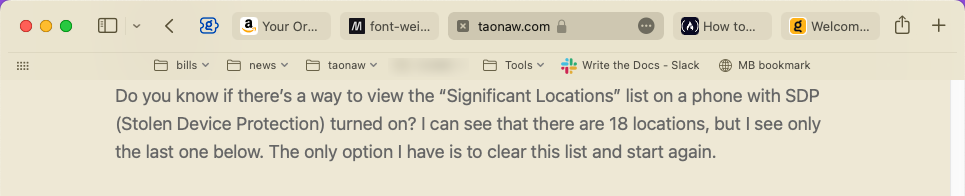
There are other things that are nice too, like the tabs shrinking and expanding depending on the number of them you have open, or the arrow keys for back and forward a page on the browser getting out of the way if you don’t have a page to go back or forward too. This is a nice design idea.
Sure, it takes some time to get used to, and I can imagine the tabs getting crushed together is not ideal for power users who have 100 tabs open, but Safari is not my workhorse: for that, I have Edge with its vertical tabs, which works well.
This is yet another thing that makes the switch from Arc easier.