I want to play Mass Effect (legendary edition), but the keyboard controls are a challenge. I have to play with an open browser: “How do you heal?” “How to crouch behind cover?” “How do you tell a squad member to use an ability on a given point?” feels like the game is intended for controllers.
The shows I'm currently watching
As more opinion pieces about the new Fallout show pop up, the more I want to watch it. I resist it because I’m already watching too many good shows. 📺
My current quick break show: Delicious in Dungeon:
Recommended by Nat, this is a weird but fun one. It combines two excellent things for a quick break: Dungeons and Dragons, and food. The episodes are short (around 20 minutes each), so this is good for a quick “mental snack” (sometimes combined with an actual one too).
My current sit-down-and-enjoy show: The Mandalorian:
This one’s not new, but somehow I haven’t heard about it until recently. I finished watching the first season, and I’m ready to start the second. This is the way.
Date night with NK show: X-Files:
This show needs little introduction. We started watching it together about two years ago, and we’re in season 6, after the movie. The show is great to re-appriciate; the complicated connection between Mulder and Sculley makes me appreciate the show today in a different way than I did when I watched it back in the day.
Vent & talk with Nat show: Blue Eye Samurai:
Unlike the obvious choice of X-files with NK, this one was more of a “let’s take our chances” show with Nat, as our Venn Diagram in terms of shows is a bit narrow. There’s much to like here: action, depth, violence, sex, friendship, and an interesting plot.
Hangout with Nyx show: Black Books:
The only show that makes me laugh harder than Black Books is The IT Crowd, which you probably heard of (and if you liked that one, I recommend Black Books). It’s beautifully sarcastic, takes place in a bookshop, with plenty of mentions of alcohol and cigarettes. Can’t go wrong there!
Maybe show: Fall of the House of Usher:
I want to like this show, but I can’t follow it enough. There are too many flashy characters with their own stories, a plot with a tricky timeline, and then there are twists and turns. I need to put work into this show (read synopses, write notes) to keep track, and while I’m OK with it sometimes, I don’t feel like it for this one. We shall see.
Looking forward to this one
‘Joker 2’ Trailer: Lady Gaga and Joaquin Phoenix Unleash Bad Romance in Thrilling First Footage variety.com
Reader: variety.com
I am happy to report I just took a very good nap. That is all. Carry on.
Getting used to Edge again means trying to duplicate some of the productivity tricks Arc gave me. Having a collection of work-related tabs in one accent color is nice, and being able to customize their icons and rename them is also important. Here’s what I have so far.
Can someone please explain how Apple can sell close to a grand of a phone AND charge extra for a normal-length cable but still charge me more for a wall charger?! 🤬 Am I missing something here, or is it a “welcome to the club” situation??
Sincerely yours, GBD.
What a beautiful day today. It was the first real spring day for me: walking around in a t-shirt, smelling flowers everywhere (and sneezing), I captured a photo of these small buds:

April Photo 📷 Challenge 15: Small
Attempting not to use Arc browser, take 2. No, it’s not because of the “oh no, they are a shady AI company” wagon. It’s more that they started the “we might not make it” videos, and today when I tried to access my Google timeline, this happened:
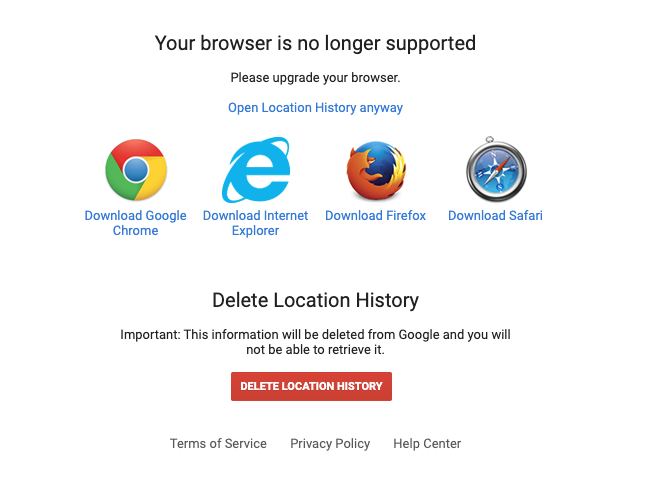
Yeah, I think their days are numbered.
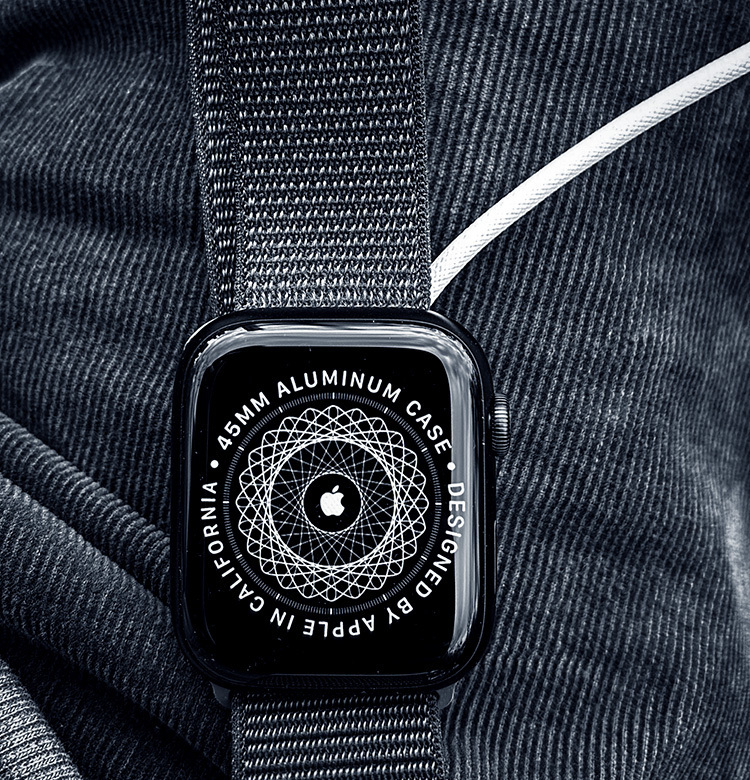
Apple Watch newbie question: Do I have to press the side button twice before I pay to go into transit, or is there an option without it? On the iPhone, you can
So I got an Apple Watch
Last Friday I woke up from a power nap and the first thought that popped into my mind was, “It’s time to get an Apple Watch.”
I thought about this several times before, especially since I started exercising with Co-Pilot. Over several notes in the journal and Emacs, I convinced myself not to opt for the Apple Watch mostly because of my love-hate relationship with privacy. After all, buying a GPS-tracker-personal-information-sharing-device for your wrist from a company with most of its infrastructure invested in China is not exactly a good pro-privacy argument.
But in the last couple of years, as I slowly started opening up about my lifestyle (here and elsewhere), I stopped giving a shit. Privacy at this day and age is impossible, at least with current technologies. In the meantime, what an Apple watch can offer is very appealing.
For one, it puts my exercise routine on another level. It’s one thing to exercise with the iPhone and watch the screen; it’s another to have a watch telling you to slow down or speed up or have it pause and continue sets without me needing to clumsily try to touch the screen while holding a weight is excellent. Then there’s running, which I plan to get back to more seriously again, and I want to track my progress.
The other thing I hope the watch will assist me within the well-being department is meditation. I meditate whenever I finish my exercises, but I need to go longer and deeper. I might consider something like Headspace (if anyone reading this has opinions, please share!), but for now, I’m still getting adjusted. Meanwhile, I appreciate being reminded to meditate (Breath in Apple Health) daily on top of the one at the end of my exercise.
Then there are my sleeping issues, and I want to keep track of those. While it’s pretty easy to know how well I slept (do I feel like a zombie or not?), having a long-term insight into this with all the information the watch provides would be helpful.
Outside of the health department, there are many more implications, like taking notes and reminders consistently, knowing when someone important messages me, the ease of taking the subway and paying without taking out a wallet (especially during the winter), and even taking selfies from a distance with the phone is a plus.
There’s the magic-wow factor (I can’t get over the pinching to open menus on the watch, or just raising it to ask Siri something, and it’s all right there), but that will probably fade away.
It will take the watch a few more days before I get all the data I want to see and a few more days for me to get adjusted anyway. In the meantime, please let me know if you have any useful tricks/routines you use your Apple Watch for or even useful Shortcuts!