
Emacs org-mode
Welcome to the Emacs org-mode category.
You can subscribe to this category only via RSS!
I am working on restoring some of my related posts from my old blog, so keep checking here for new content.

- Show thumbnails in dired so you know which pictures you want to resize, no problem.
- Resize 20 pictures with dwim by mistake because you marked ALL of them. Oops.
- No problem:
dired-mark-files-regexp, mark all files that end with x750, delete with one keystroke - Round two, mark the ones you actually want this time.
- Move them all to the download folder with one keystroke.
- Wake up. Switch to home clothes from PJs.
- Go to the kitchen, get some water, listen to the birds and think for a bit (about 10 mins)
- Exercise: stretches (mostly focusing on back and posture), with some push-ups and crunches.
- Meditation (5 mins) follows exercise
- Back to the kitchen to make coffee and breakfast
- Eat, take vitamins, talk to Nat as his morning starts as well
- Start working:
- View the agenda for the day (meetings, major projects, TODOs)
- Looking for Pinned emails from previous days and Reminders, combine them into TODOs for the day
- Start tackling tasks in my agenda (emacs org-mode), recording what I’m doing in notes
- Around 13:00 to 15:00 (depending on meetings and things), time to exercise, or if I’m in the office, go back home for this. No targeted goal specifically yet; it’s mostly about the routine, but I’m trying to include a jog here if I can, or weight lifting
- Back to work: this is a good “quiet time” to work on projects without interruption, depending on meetings.
- Around 18:00 or 19:00 finishing work. Nat’s back at that time, or I spend time with another partner, depending on the day.
- Around 20:00, I enjoy a show (these days it’s Silo) or video games (Helldirvers2 mostly at this point, but there’s also the excellent Mind over Magic I need to review soon)
- I usually sleep around 22:00 or 23:00. Hopefully I can keep up the 7 hours of sleep I get a night or so, which means I wake up around 6:00 the next day to start again.
I love Emacs, org-mode, and Journelly.
Then to organize all my journal entries from journelly.org to journal.org, sort them by the order in the journal, just mark them all and use org sort alphabetically. Poof, done.
A whole day full of notes with pictures is now organized in a way I understand, with work-related notes filed into their tasks neatly, with an org-id link connecting them to the meeting header I have tomorrow.
Can you be more organized than that? Show me one program that does all of that. I didn’t pay anyone, and the software is free.
A month with Journelly
I’ve been using Journelly on a daily basis for about a month now, and I wanted to reflect on how my current workflow affects my usage of Emacs in general.
As I mentioned in my post after the first week, I mostly dictate my thoughts to get them into text in Journelly; sometimes Scully speaks to her recorder as she performs her postmortem examinations.
Dictating like this, especially with my accent, is far from perfect; I’d say it roughly captures 70% of what I want to put down. It contains enough errors that I should do some quick review later in the day, especially if I want to develop these thoughts later or share them.
The other thing I do with Journelly is take pictures. Much like the dictation, these are rough and unedited, nothing like the ones I have in my photos section. A picture can quickly capture the mood and the event I’m in with the location in one quick glimpse, which works well with a journal.
Later in the day, usually before bedtime, I refile my Journelly entries into my big journal file. This is also when I transfer over photos from Journalley’s asset folder (which I host on an iCloud-shared folder on my desktop, as I explained previously) to my journal as attachments.
So far, I recaptured the proccess I more or less explained in my previous post. Not much changed. But let’s talk more about the details.
For the notes I take with dictation, I try to do at least minimal editing as soon as I’m done recording. I use Grammarly, which has a built-in keyboard app for iOS, and it’s usually good enough (after a short fight with it and iOS’s built-in spell checker on unique words and nicknames I use that don’t necessrily exist outisde of my own head) to make the entry usable - that is, to the point where I can reflect on it a year later without trying ot figure out what the I was saying.
If the entry contains something that needs a deeper intervention (for example, brainstorming or writing down notes after a meeting), I will try to do that later in the day when I get the chance or in the evening. To be honest, this part requires improvement. I leave too many notes that will confuse me later on.
For photos, I am shifting from using Photoshop to resize photos (from their default 3000 something pixel width down to 700 pixels) to using Ramirez’s awesome dwim tools - the same guy who created Journelly. If you’re reading this and you’re an Emacs power user and you don’t know about these tools, do yourself a favor and look at them right now. This post can wait. You’ll thank me later (and if you don’t believe me, check Irreal’s reviews of those as well)1. With dwim-shell-commands-resize-image-in-pixels, it’s a matter of simply marking (m in dired) the images I want to resize (usually all of them), running the command to resize, and then attaching them withorg-attach-dired-to-subtree to the entry I’m reviewing in the other window.
Two challenges with the above: first, the file names created by Journelly have unique IDs, which tell me nothing about what’s in the picture. Second, as much as I try not to edit photos that will just go in the journal, sometimes I’m itching to crop or correct the color balance. Both of these issues have simple workarounds: I can use image-dired-display-thumbs to quickly see what the image are (the thumbs buffer convinently has a frame around the thumbs I’m viewing, which corresponds to the name of the file in the list of image files in the other buffer) and then I don’t care much about the name; and for the editting - I remind myself that if I like the picture, I should work on it and edit it in its original resolution and not mess with the low quality 700px wide version anyway2.
As for refiling at the end of the day, this is straightforward enough. The only kink here is that my journal is built on a weekly date tree, which appends the most recent changes at the bottom of the file, while Journelly is doing things the opposite way and files the latest entries at the top (as it should). This means that when I capture something in my journal file through Emacs, it will be all the way down in the 2025 header, then all the way at the bottom for the current week number header, then again all the way down to the latest the day, and then once more, it will be at the bottom for the most recent entry. When I refile from Journelly, it works backwards, so I post the most recent entry at the top of that day header instead of the bottom, while the parents headers are still in a reverse order to that. Somehow, this works (at least for now), so I stick with it3.
Entries created by Journelly have the weather and location included in the properties drawer, something that’s missing from the entries I make directly to my journal with org-capture, but I can live with that. My journal template changed to look the same as Journelly’s, something similar to what I saw on Jack’s blog:
    * %U @ -
    %?
When I capture a journal entry like this through Emacs, I change the dash to add the location manually. I could get fancy with the OSM package for Emacs, which I have installed, but “home” or “office” or whatever place I happen to be in at the time is usually good enough (the temptation to create a capture template that integrates OSM into my journal entry “Journelly style” is there).
Lastly, I tried ot use Journelly more as my “brain dump” place for all my notes, including those for meetings, for example. The idea is solid, but the problem is that when I’m actually in a meeting, I have the org file with the meeting already open with the org-clock running, and adding notes to the log this way (C-c C-z) is a second nature at this point. Writing down quick notes this way feels different than writing down my thoughts in journal-style mode. I think it’s just a matter of time before I start directing all my capture notes into the journelly file so I just have one place with everything4.
Footnotes
1: When Ramirez reached out to me and asked me how I was doing with Journelly (because he’s awesome like that), he mentioned his package could help with resizing photos in an email. It was another case where I heard about something, but it never really clicked. I’m becoming more of a fan of the guy and his work, but the tools speak for themselves.
2: another solution I’m leaning into: if I take a picture that I like, I can also lightly edit it on the phone (usually cropping and level adjustment or similar) and then attach it to the entry in Journelly
3: The manual refiling system I’m describing here is cumbersome and slowly starting to annoy me. It’s also prone to mistakes. I will be better off just starting a new journal file in a reverse order, that is, with the latest entries at the top. I believe org-mode has this option built in, and if not, I’m sure there are other tools like org-reverse-datetree out there. So why haven’t I done it yet? I don’t know. It’s a huge file (my biggest org file) and one of the most important ones, so messing with it feels kind of wrong.
4 : On a technical side, this may present a syncing problem. If I use Journelly this way, its file, journelly.org, will be synced between my Mac, my iPhone, and my Linux desktop - possibly also my Android. This can cause issues with syncing. Even iCloud is not perfect, and sometimes the file won’t sync, and I only discover this when I need to use the file, thus presenting changes on top of changes that were not yet synced, which will cause a conflict or loss of data.
On Linux, I now use Pop!_OS, which is dark by default. I find that ef-deuteranopia-dark looks better with my theme there. Meanwhile, on the Mac, ef-frost works for the light theme and ef-night for the dark theme.
Here’s what I do to make this as automatic as possible (F8 is mapped as the key to guggle from light to dark when on the Mac). These are Prot’s EF themes, including the function to switch.
    (cond
     ((eq system-type 'gnu/linux)
      (ef-themes-select 'ef-deuteranopia-dark)
      )
     ((eq system-type 'darwin)
       (mapc #'disable-theme custom-enabled-themes)
       (ef-themes-select 'ef-frost)
       (setq ef-themes-to-toggle '(ef-frost ef-night))
       )
     )
First week with Journelly
I’ve been testing out Journelly for the last week, and I have a lot of good things to say about it. Before we get there though, I want to start by explaining what it is - which is also the single piece of criticism I have about it at the moment.
Ramírez explains his app as “kinda like tweeting but for my eyes only,” which is true, but in my opinion, not the main point. After all, tweeting (X-ing?) or tooting or whatever is not new. At the same time, there are many excellent journaling apps for iOS, including Apple’s own Journal and the celebrated Day One. Putting Journelly against these apps is also misleading. This is partly why I didn’t understand the excitement around Journelly when I first heard about it, especially from an enthusiastic Emacs user1.
I would take a step further and say that the average iPhone user, who trusts Apple for all syncing and backup needs and doesn’t know what Emacs is, should skip Journelly and go with the other apps, at least for now.
But, if you’re reading this post in your org-mode category on your RSS reader, you are not a regular citizen of the internet. We are Emacs org-mode users. So let me tell you why this application is amazing.
Journelly is a front-end iOS app for org-mode. The notes you take with Journelly are written entirely in org-mode, in a single org-mode file, which you can sync to your Mac with iCloud or another method that works with both iOS and macOS.
Every note you take, which you create by tapping a large “+” sign in the app, starts with an org-mode header made of a time and location (which you can disable), like so:
* [2025-04-08 Tue 14:28] @ 123 Sesame St
On the app, these entries look very polished:

Behind the scenes, Journelly also adds the following in the header’s properties drawer (I removed the values below, but Journelly populates them automatically):
    :PROPERTIES:
    :LATITUDE:
    :LONGITUDE:
    :WEATHER_TEMPERATURE:
    :WEATHER_CONDITION:
    :WEATHER_SYMBOL:
    :END:
You won’t see these properties (including the weather, which is included in the app when you take a note) on the app in the default view, but you can switch views to the “Markup” to see raw org-mode syntax. Speaking of org-mode syntax, let’s talk about some Journelly magic.
I use iCloud to sync a Desktop folder for org files to my Mac. This is also where I told Journelly to store its org file (which is called Journelly.org - at this point, it doesn’t seem like you can change this file name). This means that after making an update in Journelly, I can visit the org file with Eamcs on my Mac within seconds.
Then, through Emacs, I can make whatever changes I want to this org file: fixing typos, adding emphases (say, make certain words show in italics or bold), adding links, whatever. The next time I launch Journelly on my iPhone, it will notify me of the file change and prompt me to reload it. One tap and everything is rendered with the same polished look you see above as if I wrote it from within Journelly itself. The whole thing is so freaking seamless and visually appealing it’s addicting, as I found out quickly.
Since Journelly’s org file is included in my org-mode agenda (the folder it’s in is defined in my agenda files in Emacs on the Mac), I can easily refile entries from Journelly.org into my big journal.org file which I’ve been updating since 2018. This means that notes I take on the fly, with timestamps and location (and weather!) data, are added to my journal within seconds. After doing this for a couple of days, a thought occurred to me: why stop there?
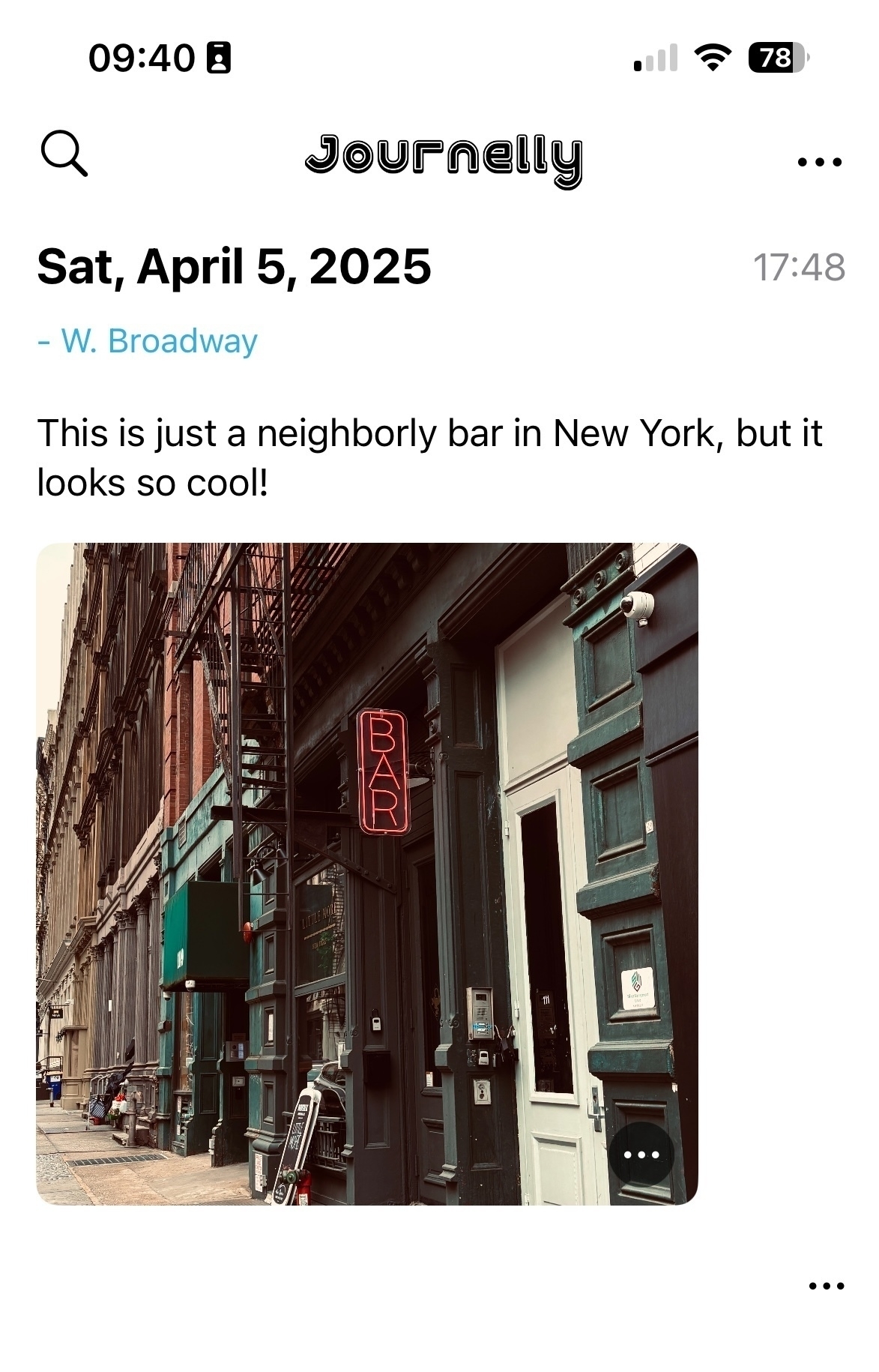
As you can see, Journelly knows how to deal with photos well. They are stored in an images folder inside Journelly.org.assets, which is easily accessible if you sync the app’s org file. So, if it’s so easy to use for notes and pictures, why not use Journelly for my project notes and meetings?
My favorite way to work with Journelly so far is by dictation: I talk to write. This last part is what caused me to change how I think of project notes in general. Instead of writing notes for each project in Emacs, why not just write or dictate them in Journelly? I can easily refile headings into related projects later if I wish, whether it’s a work task, a personal journal entry, or a link from the internet.
I don’t have to think of what goes where as I take notes. it all goes to one place where it’s easy to see and a pleasure to work with. This concept is not new to me (and it’s well documented in productivity systems like GTD as “inbox” or what have you) - I used to have an OhSnap.org to capture everything. But on my phone, through Orgzly on Android or Beorg on the iPhone, it’s not easy to see nor a pleasure to work with. These apps are geared toward tasks and to-do lists, and that’s part of the problem: when I capture information, I don’t usually know if it’s a task yet, just a note, a workflow, and where it goes. If I do know, then I’d put this task directly into the org file it belongs, so what’s the point? And it all looks so bland and boring and uninviting. On other org-mode apps, writing notes is a chore.
Journelly blows this mental challenge away. It invites me to take notes and just notes. It’s the opposite of a chore. “Go ahead,” it winks at me, “spill the beans. Snap some pictures. We’ll work on the details later.” Suddenly, I’m free to let my mind go.
Later on Emacs, I refile personal headers with their notes into my journal, minutes from meetings into my project files, and use org-attach to move the images from Journelly2 to their correct place where they are also stored for backup.
This makes me wish Journelly would have the ability to attach voice memos, which would work great in a journalling app. I hear from Ramírez this is on his list and will come soon (judging from how responsive he is, we won’t wait long). Who knows, perhaps other files could be added, like video clips and even PDFs for flight or train ticket scans. For now though, the app is still in beta, and Ramírez is working overtime to get version 1.0 out. I will be one of his first customers, that’s for sure.
In the few days I’ve used Journelly, it has transformed from a nice way to keep a journal to an essential mind dump tool for saving anything I need. I now reach for my phone whenever I want to capture thoughts because it’s just so pretty and easy. If you’re an org-mode user on an iPhone, I highly recommend you give it a try as soon as it’s out.
Footnotes
1 - I do tend to miss details, and while the Mac Observer review I read does mention Journelly is based on org-mode, it’s somewhere toward the bottom where my quick scan of the article missed.
2 - at this point, Journelly stores full-resolution images, which can quickly add up in space on the iPhone. This is easy to resolve with a Shortcut on iOS or a script with ImageMagick. I prefer to do some slight editing to my images anyway (a bit of cropping, some levels adjustments, etc), but these are also things you can do on the phone and automate the compression.
I want to write more about Journelly, but the problem is that it’s too effective at what it does. Creating notes with it is so easy and streamlined that it’s starting to change my entire workflow for project notes, and that’s a pretty big change.
Another quick note about Journelly -
Álvaro Ramírez was kind enough to grant me access to test the app after I found out it’s based on org-mode.
I just started playing around with it but so far I’m impressed, particularly with its ability to “talk to” Emacs back on my Mac. I can easily edit notes that I created on the phone, and these edits, including links, strikethroughs, and lists, show up on the app in turn.
There’s more to explore and the app is still in beta, so I will give it a couple of days before I write something more thorough.
Correction about Journelly
When I wrote about Journelly the other day, I didn’t expect the guy who makes the app to find me and my post, and answer my post on his own blog. It surprises me every time I get an email or a response because I don’t really think anyone really reads this blog.
It makes sense that some Emacs folks on Fosstodon would find me, sure, we’re all crazy for the same thing after all, but then I also get email from people who take the time to write in length and open up more, and I just feel this semi-guilt of, “hey, why are you reading my stuff, I’m just talking nonsense.”
My most popular posts (I use TinyLytics to track traffic, it’s by an independent developer, and it just tracks the essentials, like general geographical location and browser used to read what pages) are Emacs and org-mode related, without a doubt, but there are other posts here as well. As time passes, I open up about more things in my life, or I care less about what people think, or probably a mix of both - and I’m also getting comments about those here and there. That’s especially exciting to me.
First, there’s some sense of vindication in that (if you grew up being somewhat on any social spectrum, you’ve probably experience enough of “you are wrong and you need to do X because X is what the rest of the world is doing” kind of thing). Second, these communications are always more personal and human. Emacs communications is great too, but it’s more of the thrill of learning a new thing.
Back to Journelly. I owe both Irreal and Álvaro an apology. Not that what I said was negative criticism in any way (and if it was, I didn’t mean it that way) - it’s just that I didn’t do enough research to learn about the app. I just read the review linked from Irreal, which didn’t really highlight the fact that the app is based on org-mode. That’s a big DUH, folks! Álvaro also created Plain Org, which I’ve used, among other useful Emacs surprises!
Journelly and org-mode
Irreal likes Ramírez’s Journelly. To each their own, sure, but after I read the review he mentioned, I’ve been scratching my head a bit. I don’t get it.
Irreal is a dedicated Emacs user, and I estimate he uses more Emacs in his day-to-day functions than I do - so why does he feel the need to use something that is not Emacs for quick notes?
One of my theories is iPhone usage. That’s probably a big one. Using org-mode on an iPhone is not easy. There’s Beorg, but it’s geared more toward task lists and calendars than taking notes (even though you can do that, especially if you have templates). Even better, you could include a timestamp every time you record a new note, which is one of Irreal’s needs of his requirements. I’m not sure if he wants to include voice recordings or dictate notes on his iPhone, but both of these things are pretty easy to do - exporting an audio note and attaching it to a header in org-mode is pretty straightforward and can probably be automated.
My issue with any such apps, especially if they’re meant to capture “everything” (like pictures, short videos, oral notes, etc.), is that pretty soon they start competing with org-mode. What follows is confusion about what I put where which is usually followed by a short burnout of using either one. Then I have a period when I don’t save anything, and I regret it later.
org-mode is not perfect, but as long as I use it, I have one place where I know I can find whatever I need. At work, I usually keep detailed notes of what I did under each header with timestamps, even if they are just a few lines long. It’s more than just recording information: the act of writing clears up my head and helps me figure out what goes next, and the “emotional memory” (for lack of a better term) reflected in the mood of my notes helps me remember things later that I didn’t think of actually writing down. I can find old records this way, even if they happened years ago.
As I already said, to each their own. We all get to choose what tools we want to use. This is not about preaching; it’s just that his use case makes me put my Emacs thinking hat on and think about what I would do. These scenarios are interesting to solve.
I’d love to write him an email or comment, but I can’t find an email address, and the blog’s commenting system uses Disqus, which doesn’t let me log in with any accounts I want to use. Oh well. Maybe he will find this post.
Emacs 30.1 so far
Upgrading Emacs is always a project, especially on macOS.
I’ve been using Emacs Plus on my Mac since I installed version 28, but when I went to update to version 30.1 through homebrew, I got a cryptic git error. From the little research I did, it has to do with commits being in the wrong place. The explanation was something that went over my head, so I shrugged it off and tried Emacs for macOS again. I forget what was the reason this Emacs flavor wasn’t for me in the past, but it seems to work fine now. Well, after I deleted and reinstalled marginalia, exactly as Irreal mentioned. Seems to be working fine now.
I was excited about completion-preview-mode (if Mickey is raving about something, you got to check it out), but so far, in my experience, it’s just “meh,” at least out of the box. After I got it to work in org-mode (the manual is a bit of a mess and seems to be thrown into the package itself, but I found out what to do in this YouTube video) it’s not much better than what company-mode gives me at the moment, so I’m going to wait until someone probably comes around with “actually, it’s much better because X, and you can find out how to do it over at Y,” or Mickey writes something more complete. The video I mentioned goes into some helpful examples, but I get lost in terms of how to set it up in my case.
Then, again per Mickey, There’s “The Org URI protocol should now register automatically, meaning you can send data from a browser bookmarklet straight into org capture in your running Emacs instance.” I remember I once got it (or something similar) to work with org protocol, but a native option turned on like this seems very good, and I’d love to be able to send text and links from my browser directly to Emacs. I’m not sure how to get this to work either. I recall I need to run Emacs as a server in the background and then launch Emacs as a client, but this is beyond my current macOS kung fu. The issue with finding how is usually knowing what to look for. I need to be more specific about my research, but i’m not sure what it is I’m looking for.
Upgrading Emacs is always rewarding because I also get to upgrade my brain with it. I learn how to do new things, and do them more effectively. I’m sure I’ll be back at tweaking pretty soon.
back in the groove
As I’m getting back into the “groove” of things, I started this pattern:
There are many points that change in this workflow (for example, if I blog, it’s usually in the morning at some point after food, if work allows), but in general, this is the outline I try to get back to.
Once again I see the benefits of channeling all my tasks that come from emails, reminders, my calendar, phone calls, meeting etc - into my org-mode agenda, where I have one simple list without distractions of what I need to do. If it’s not there, I’m not doing it that day. And there’s always more than I can finish each day anyway, that’s just the nature of things.
The big benefit (I’ve said so many times in the past) here is that because I log what I do, I know exactly what was done and I have a good idea of what needs to be done next. This is also very useful when there’s a new project, and you can just use the template from last time. Good stuff.