
A little coffee shop comic 📷 anyone?
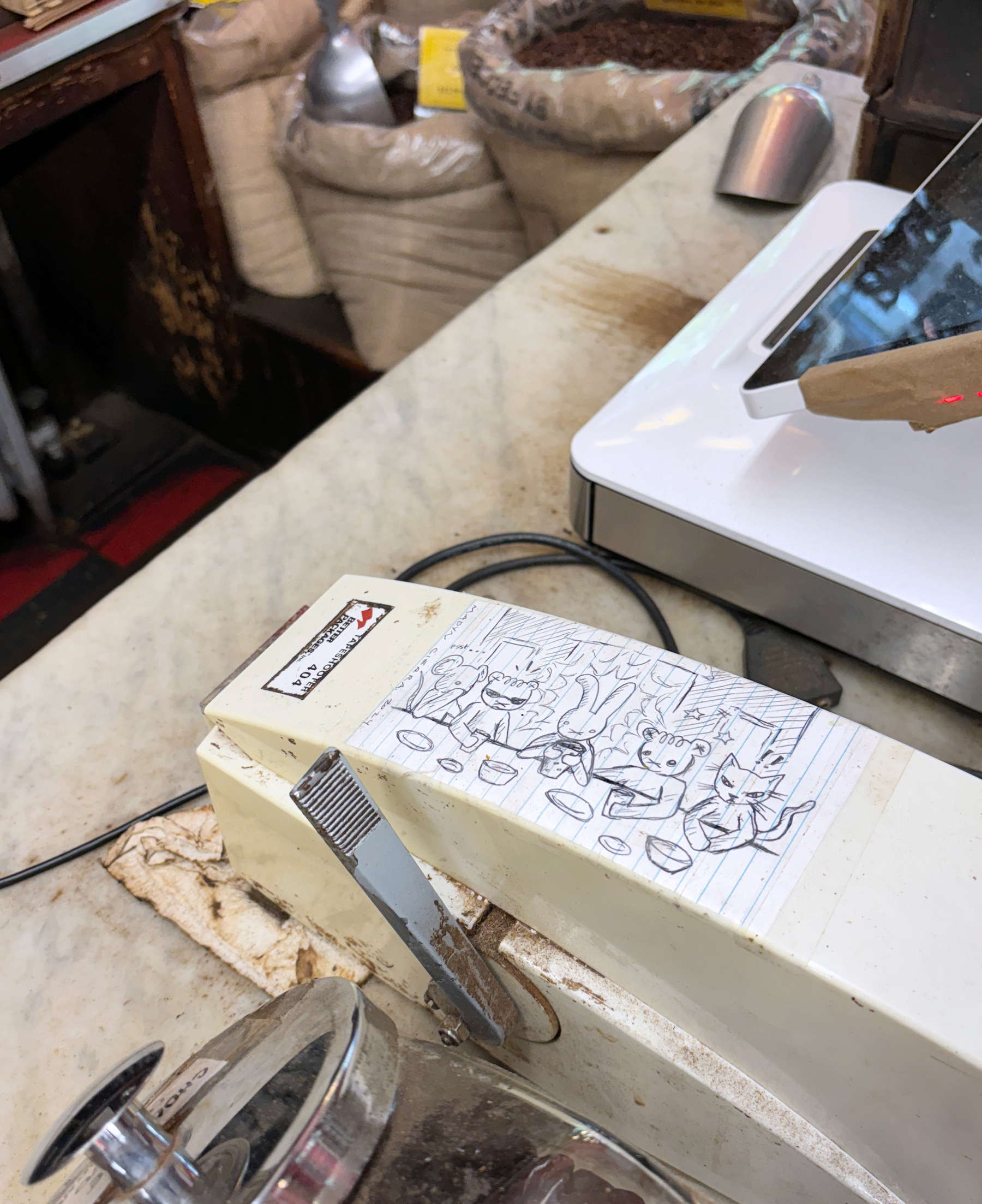
If Google tells you to jump off a cliff...
Growing up you were probably asked by your parents “If everyone jumps off a cliff, will you jump too?” when you did something stupid. The idea is to appeal to your logic and critical thinking, which should (hopefully) prevent you from doing something stupid you know is stupid because everyone else is doing it.
So if Google’s new brilliant AI tells you to put glue in your pizza, you wouldn’t do it, right? Because some reporters would do what it takes to draw more eyeballs to their articles:
Google AI said to put glue in pizza — so I made a pizza with glue and ate it
I knew my assignment: I had to make the Google glue pizza. (Don’t try this at home! I risked myself for the sake of the story, but you shouldn’t!)
Hey, at least she’s telling us we shouldn’t do it. Not that it’s going to help: some people are just dumb.
She also did the research:
I did use Google to make sure that “nontoxic” glue was indeed semisafe to eat. Google’s AI answer said that small quantities might lead to an upset stomach but not, say, death. That’s good enough for me.
And since it was good enough, she made the pizza and ate it. Google said so.
What does this all mean? For me personally, this means that I’m an idiot who eats glue. But what does it mean for Google and the future of AI-powered search?
I don’t doubt Katie Notopoulos is smarter than what she pretends to be for this article. Her article is now trending all over the place, and hey, she even made it to this blog.
It’s time to stop blaming Google for what it’s supposed to do, minimum work for maximum profit, and to apply common sense. And tech journalism… well. Tech journalism. What can I say?
Ads in games soon in fully-priced AAA games
In-game ads are a natural progression of advertising, especially as the gaming industry is expected to grow to $583 billion by 2030. In-game ads are a natural progression of advertising, especially as the gaming industry is expected to grow to $583 billion by 2030.
Unfortunate and maddening but true. In a world where you pay a premium on top of premium to get ad-free experience, paying “only” full price is not enough.
EA CEO Andrew Wilson confirmed the company is considering putting ads in traditional AAA games — titles that players purchase up-front for around $70 apiece.
Games are expensive. Making games is expensive, too. But AAA games always bring in more money than ever, and there are other ways to get people to pay for games. I’m worried about horribly-placed-immersion-breaking ads coming soon to a game near you.
With Memorial Day around the corner, work should be slow enough to allow me to explore ComfyUI. This is a good time to visit image creation in AI if you’re curious about Stable Diffusion. No big tech involved, just a cup of coffee and a bunch of hungry brain cells.
Kagi Search: 3 weeks in
After three weeks of using Kagi, it’s growing on me. It took a while to figure out how: I’m searching the web directly more than I used to.
With DDG, searching would be one of the tabs. I’d often open other tabs automatically, like a dictionary tab, Reddit and Wikipedia. With Kagi, I’m not doing that because there is no need.
Another big difference is how they use AI in Kagi. Here’s a picture to illustrate:
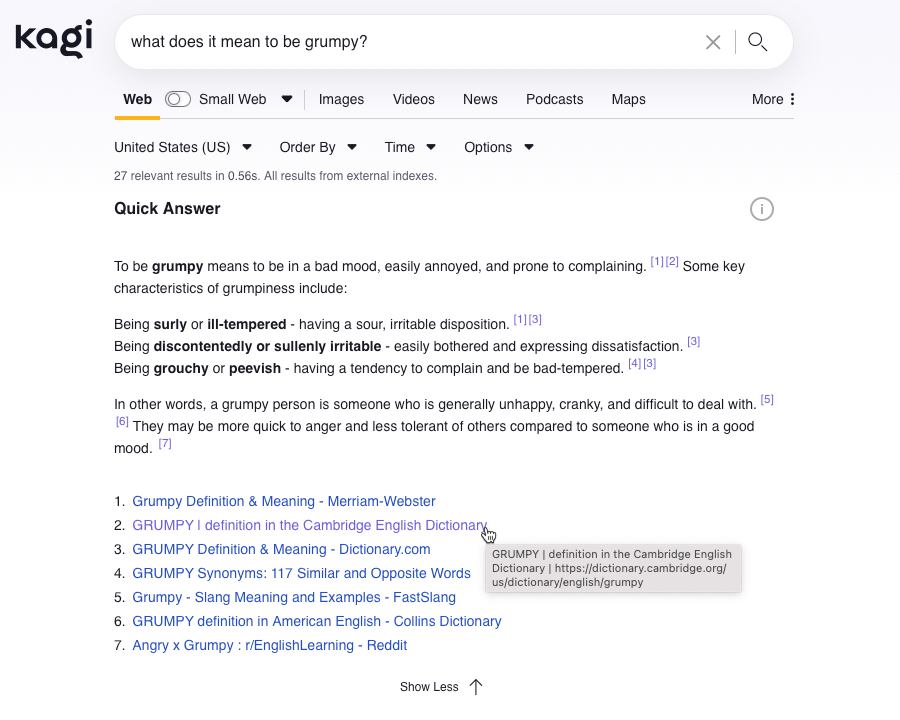
The search ends with a question mark, which is how I ask for AI to show. No question mark, no AI. Simple. That idea of initial consent like that before shoving AI in your face (looking at you, Microsoft!) already makes all the difference.
Then, the AI lists the sources it uses, and not only that, it offers links to those. A quick scan tells me if something in the sources doesn’t make sense (for example, if I search for something debatable and Twit-Ex shows up as a source). To me, that’s a responsible use of AI.
Kagi’s shortcuts and bangs also grow on me slowly. If I want to go to the website instead of searching about that website, all I need to do is start the search with an exclamation point, like “!twitter”. If I want to read a full-length Wikipedia article about something, I can type in “!w twitter”. Image results are also better than those of DDG, especially with the filters.
I keep discovering value in Kagi, and even though it feels a bit on the expensive side to me, for now it’s worth it.
Helicopter overhead from 6 in the morning, waking me up after 4.5 hours of sleeping, I was watching this YouTube video closed in my room to avoid the potent weed smell from the stairwell flooding my kitchen. Guy got points:
You know, I think Recall might be an excellent tool to get more people to take their privacy seriously.
I don’t think I could come up with a better argument than recall in a hundred years.
I’ve updated my Microsoft Edge notes, after working with it for a couple of weeks. If you use Office 365 for work like I do, here’s a tip: Maximize (but don’t go full screen!) when working with Edge. Read more in the full article linked above.
For Emacs org-mode users, two tips in two new notes: linking to other org-mode headers and plain lists to checklists in org-mode.
As always, you can access my welcome note and read all my notes there.
Back to Google Photos
I think going back to Google Photos is a good idea.
My Synology is slowly running out of space, and one of the things that take a lot of space are the photos and video - most are from my phones, but I also store the RAW files from the camera. Things add up quickly over the years, and I’m almost at 50GB of storage between all of these. Since the Synology is also used for backups for two computers and a storage of movies and shows, I’m already at 80% capacity.
But there are other reasons for choosing Google Photos.
My photos in Google’s storage date back to over 10 years ago. There’s a big gap starting around 2019, when I stopped using it in favor of the Synology. Going back to now is familiar and easy. I’ve been paying for extra space I’m already paying for two years since Google Drive is the only place my father (who lives in Israel) is comfortable using to exchange files and videos with me. That’s how we keep in touch; we send a recording to each other every couple of weeks.
My father is not the only one who uses Google Photos. In fact, this is one of the only apps (or only app?) my family, friends, and I all share in common (to compare, my communications are split between Signal, WhatsApp, and iOS Messages). It’s easy and quick to share photos through Google because everyone has an account there. My less techy family members get easily lost on social platforms, let alone an aging Synology service that requires a separate user name and password. I always resort to sending them photos through WhatsApp. Sure, I could try to play around with OwnCloud or similar, but it will be left unused as they will refuse to use it and take more resources from the already full Synology.
Then there are also the nice features that come with the service: best photos and videos are selected automatically, shared albums on the fly, and, of course, the built-in search with facial recognition. Google Photos also comes with tools that help me delete photos and videos I don’t need, like screenshots or blurry images.
Many don’t like the idea of Google scanning their faces and feeding it to its AI and/or other entities, but these days, this is a moot point. Everyone is scanning photos. If not a service you already use, then local and federal governments, your workplace software, and more. There’s no way around that. Besides, most of my friends and family are on Instagram anyway, which is probably even worse. Meanwhile, I enjoy typing “Bridge in Italy” into Google Photos and getting exactly what I am looking for. Synology’s search (which also uses some AI implantation) is slow and inaccurate.
I understand that Google might close my account one day (they already did in the past), and my photos will be gone, so I’m saving what’s important to me elsewhere. In fact, Jack just mentioned how he prefers to print his photos and taught his daughter to do the same, and Patrick said that paper is a more relaible way of saving things. I agree, and I do have some of my favorite photos printed around me, but most of the photos in Google Photos are noise. It is not bad noise, just life noise, stuff from every day. The photos I want to save will still go to the Synology and to my blog, or my blog and then Synology (I back up my blog every month with photos included), so I think I’m doing OK in that department.
Get yourself a spam phone
Everyone’s eyeing the next iPad or looking forward to WWDC 2024, but you should do yourself a favor: go get yourself a cheap new-old phone instead.
Walk into a Best Buy or any carrier store, and you can probably find an Android phone for under $300 with a pay-as-you-use plan. This phone doesn’t need to be flashy or capable. It just needs to run the latest Android version. While at it, try to buy it in cash if you can. Don’t give away your credit card.
Then, at home, use your brand new number to register a new Google account, complete with a Google Voice number and a Gmail address.
You’re going to use it for all those pesty apps that you check once a month because you have to, not because you want to. Use it for dating apps, which are an increasing privacy nightmare, or as a remote control for YouTube and Netflix. Use it to add temporary contacts, like the laundry machine repair guy or that favorite restaurant you have to call because they mess up your order on Grubhub. Oh, and while at it, use it for Grubhub too.
Put this phone away in an accessible drawer and put it in a bulky and obnoxious case so you can find it in the dark and not get tempted to carry it with you. Only use it at home, and use it on a guest WiFi if you can set one up. Save up your minutes.
This phone is going to become your junk stuff phone. This is the phone you can turn off because besides calls in Mandarin about some Chase account you’ve never heard about and your laundry technician butt-calling you from another job, no one will ever call you there.
After a couple of months with this spam honeypot, you’d wonder how you lived without one before.